Checkout and due dates
Record who has an item, when it left, and when it should be returned.
Equipment Checkout Software
Asset Minding gives teams a clear checkout and check-in workflow for laptops, tools, classroom equipment, devices, kits, and shared assets.
Free for up to 250 assets. Upgrade only when you need more capacity. No payment ever required for a free plan.
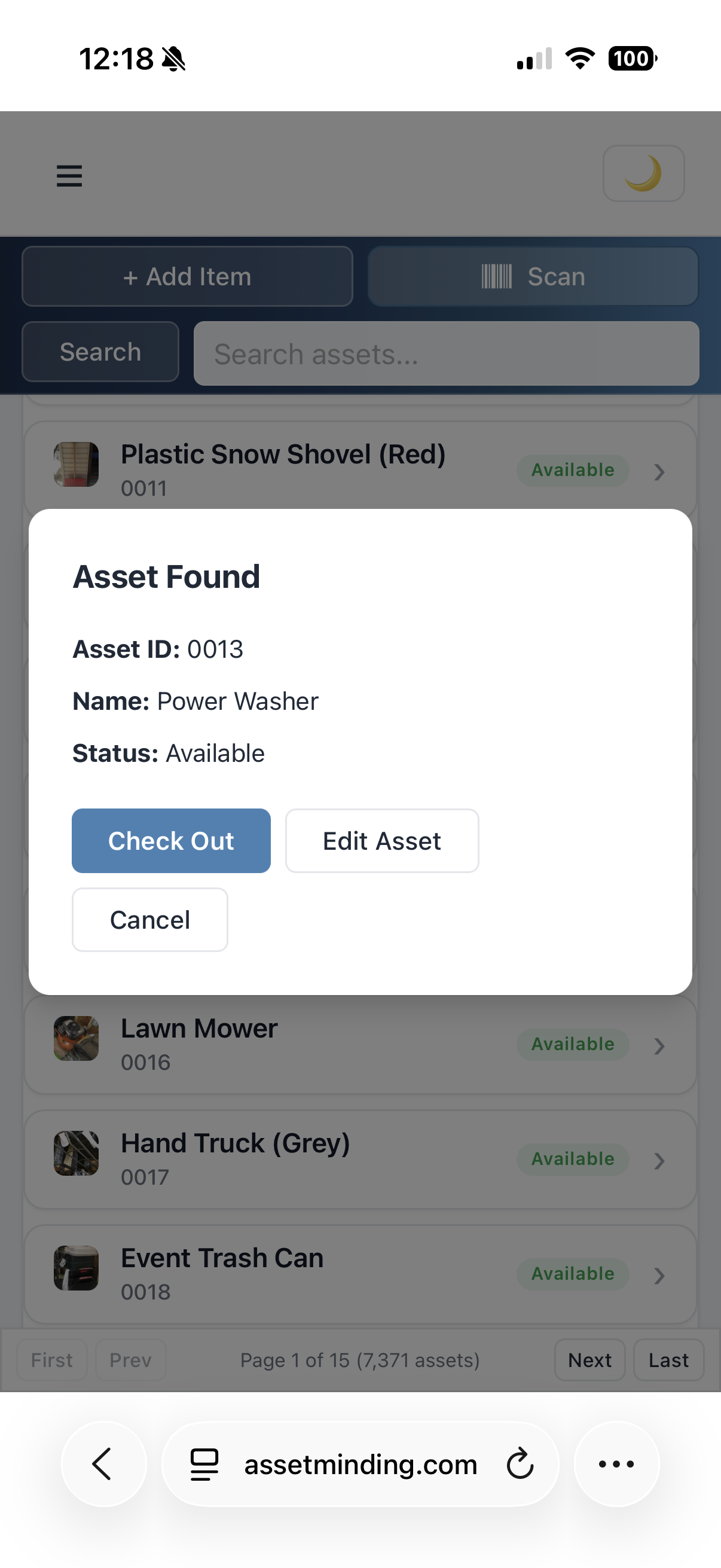
Replace informal notes and spreadsheets with a history of assignments, due dates, returns, and asset status.
Record who has an item, when it left, and when it should be returned.
Scan or search an asset, confirm the return, and keep a clean history.
Give staff a central place to see equipment availability and current responsibility.
Review checked-out assets, overdue items, locations, statuses, and historical activity.
When assets are shared across people, rooms, departments, or job sites, checkout history matters. Asset Minding connects each item to a clear record.
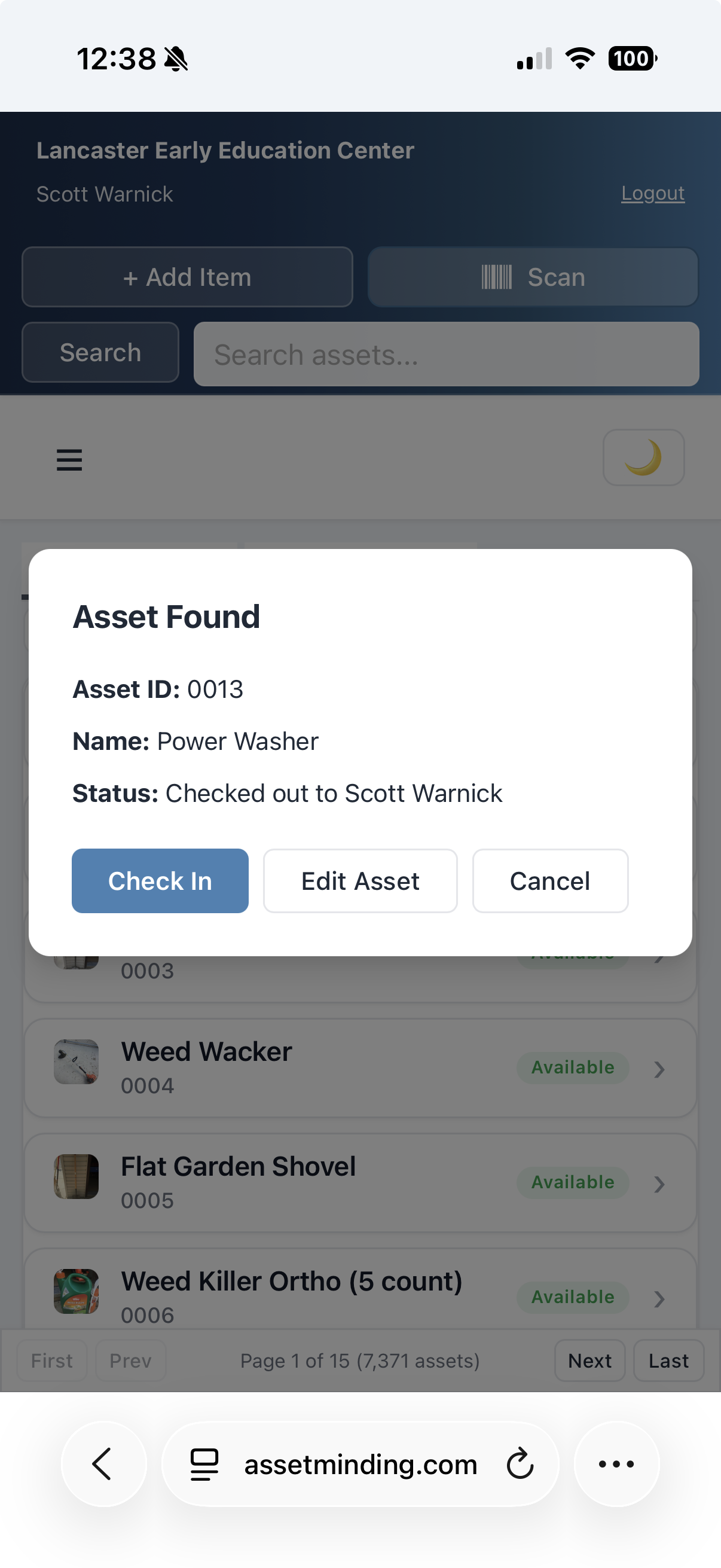
Yes. Asset Minding records checkout details so teams can see who has an item and when it is due back.
Yes. Barcode scanning can help find the asset record quickly before checkout or check-in.
Yes. Reports can be filtered and exported for audits, follow-up, and management review.
Use Asset Minding free for up to 250 assets.
Create Free AccountLog In